
Welcome to Stock Market Junkie! Thank you so much for signing up. Your report is on the way to your inbox!
Please take a moment to make sure that you've gotten your FIRST completely-free report. If you don't see it, remember to check your Spam folder and mark us as “Not Spam” so you don't miss out on your new favorite source for market news.
If you are unsure how to do so, we've provided instructions below.
Once finished, click “I found it” below to let us know.
Computer Users (Desktop & Laptops)
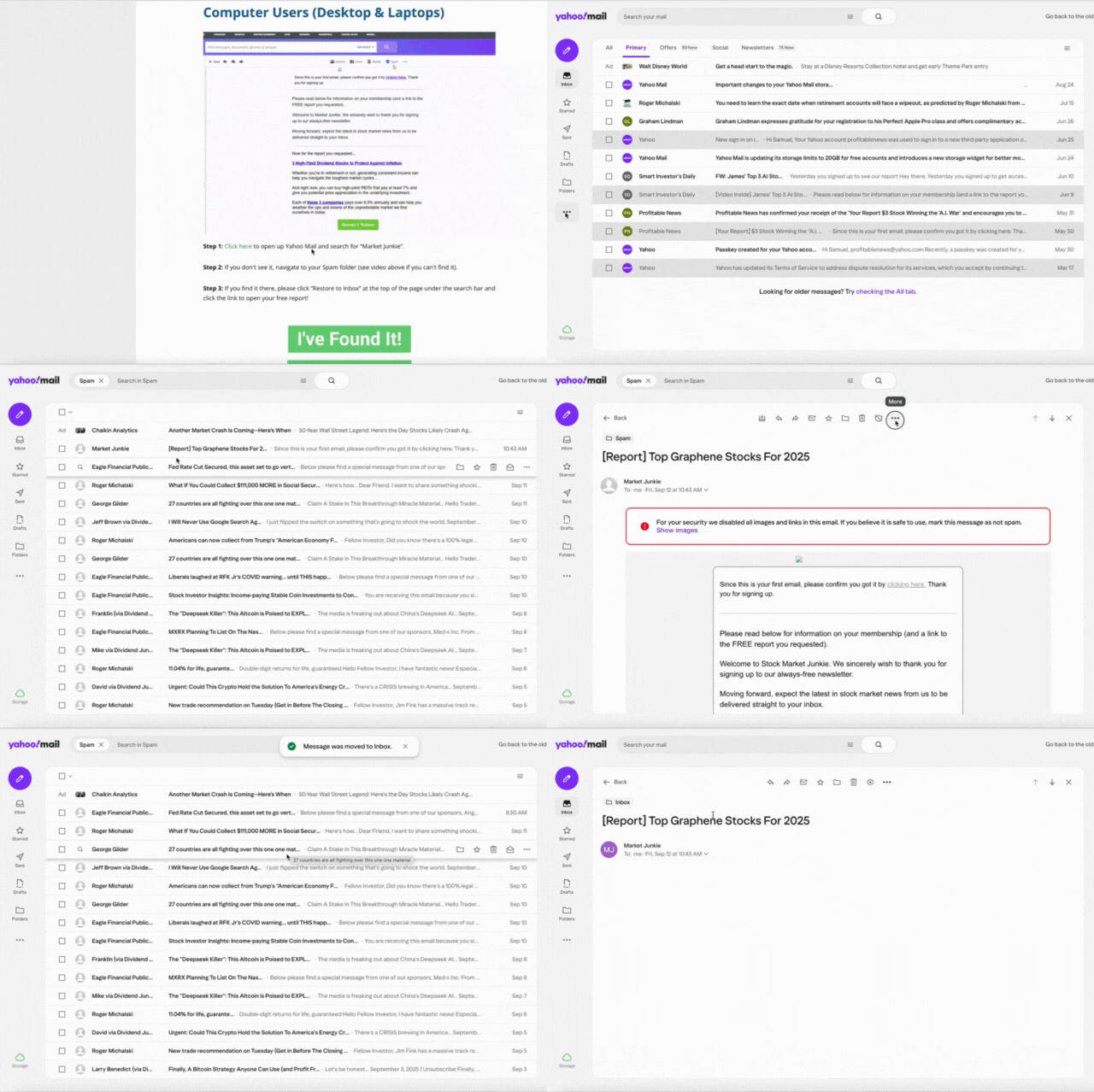
Step 1: Click here to open up Yahoo Mail and search for “Market Junkie”.
Step 2: If you don't see it, navigate to your Spam folder (see video above if you can't find it).
Step 3: If you find it there, please click “Restore to Inbox” at the top of the page under the search bar and click the link to open your free report!
Mail App Users (iPhone)
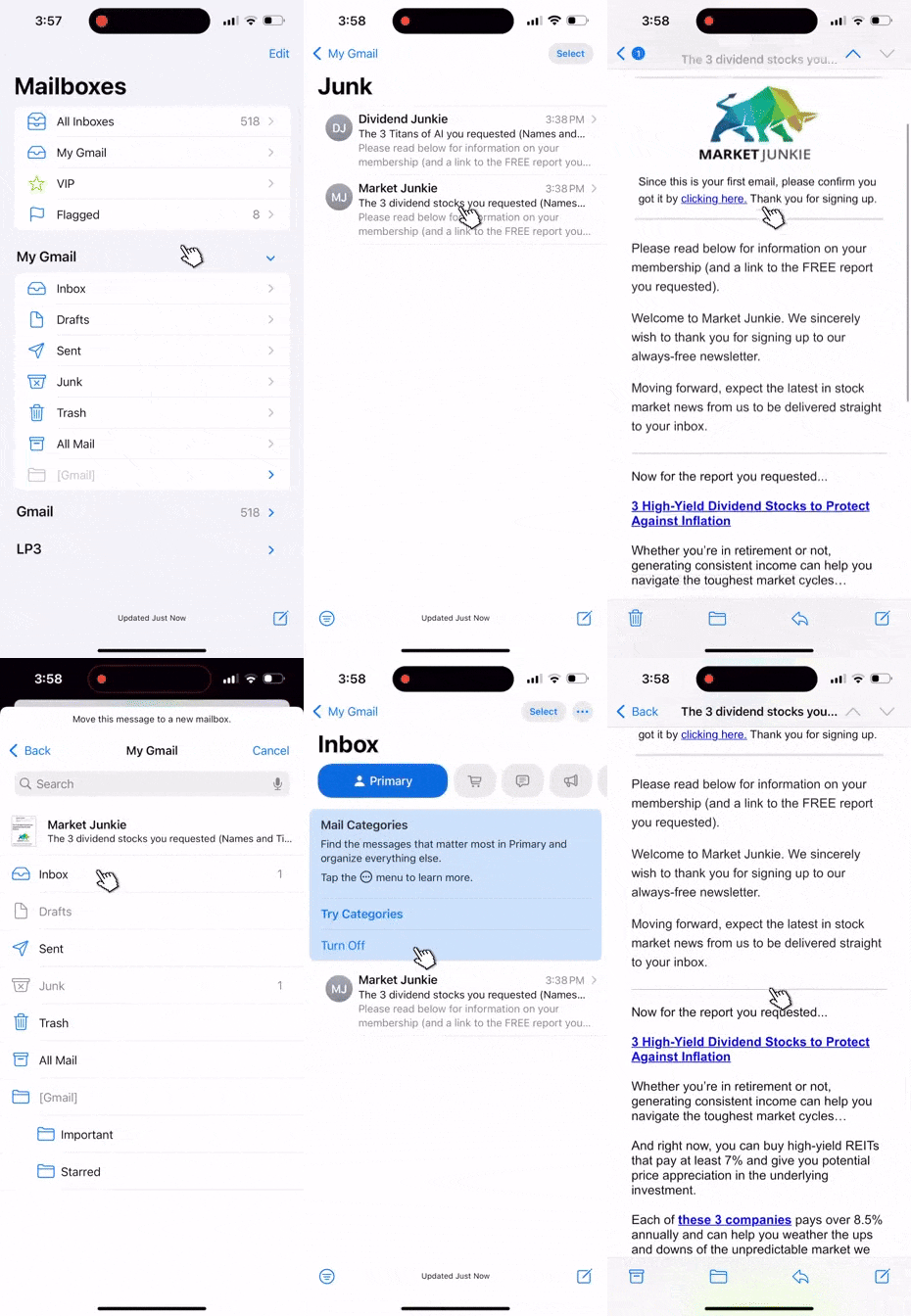
Please check the video above if you are unsure about any of these steps.
Step 1: Go to the main menu, then find your junk folder.
Step 2: Find the message from “Market Junkie”
Step 3: Open the message and begin scrolling. Once you see the Folder icon at the bottom of the page, click on it.
Step 4: Move the message to your primary inbox, and click to open your free report!
Yahoo Mail App Users
Please check the video above if you are unsure about any of these steps.
Step 1: Click on the Menu button in the BOTTOM left corner. Then navigate to Spam.
Step 2: Find the message from “Market Junkie”
Step 3: Open the message and click the Menu button in the bottom right corner, then mark as “Not spam”.
Step 4: Find the message in your primary inbox, and click to open your free report! If it's in your promotions folder, please move it to Primary.